
Suuma TV is primarily designed for Android users who want easy access to live scores, fixtures, channel listings, team information, and match updates. Before downloading the app, however, it is important to know whether your phone, tablet, Chromebook, computer, or television can run it properly.
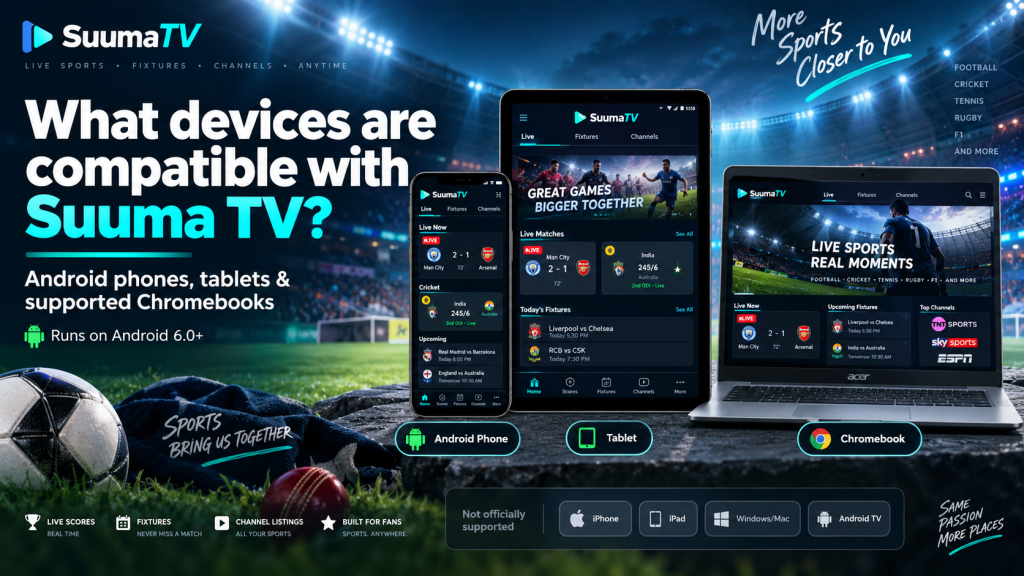
Device compatibility depends on several factors, including the operating system, Android version, processor architecture, storage space, and installation method. Suuma TV officially supports Android phones and tablets running Android 6.0 or later, while support for platforms such as iPhone, Windows, Mac, and Smart TV is more limited.
Suuma TV Compatibility at a Glance
Before looking at each platform in detail, the following table provides a quick overview of where Suuma TV is designed to work.
| Device | Compatibility |
|---|---|
| Android phones | Officially supported |
| Android tablets | Officially supported |
| Android 6.0+ | Required |
| 32-bit ARM devices | Supported |
| 64-bit ARM devices | Supported |
| Supported Chromebooks | May run Android version |
| iPhone and iPad | Not officially supported |
| Windows and Mac | No native app |
| Android TV / Google TV | Not officially supported |
| Android emulators | Not officially supported |
For the most reliable experience, an Android smartphone or tablet remains the preferred option.
Android Phones Are the Main Supported Devices
Android smartphones are the primary devices for Suuma TV. The application is designed specifically around the Android ecosystem and supports devices running Android 6.0 or newer.
Users do not necessarily need an expensive flagship phone to run the app. Its relatively lightweight design makes it suitable for many entry-level, mid-range, and premium Android devices, provided they meet the minimum software requirements.
A compatible phone should also have enough available storage and a working internet connection. These basic requirements are more important than having the latest high-end processor or an unusually large amount of memory.
Android Tablets Work With Suuma TV Too
Suuma TV is not limited to smartphones. Android tablets running a supported version of Android can also use the application and may even provide a more comfortable experience because of their larger screens.
The interface is designed to work in both portrait and landscape orientations. This can make fixture lists, team information, channel details, and match updates easier to read on a tablet.
A cellular connection is not required. A Wi-Fi-only Android tablet can still retrieve current sports information as long as it is connected to the internet.
Why Tablets Can Be a Good Choice
Tablets may be particularly useful for users who prefer viewing several pieces of sports information on a larger display. The additional screen space can make navigation and reading more comfortable without changing the core features of the app.
Android 6.0 or Later Is Required
The minimum operating-system requirement for Suuma TV is Android 6.0 or above. Devices running older Android releases may not be able to install the newest version of the application.
Users can check their Android version by opening Settings and looking for About phone, About tablet, or Software information. The exact wording depends on the device manufacturer.
Using a newer Android version is generally preferable because it can improve security, app compatibility, and overall system stability. Even when an older supported device can run Suuma TV, newer software may provide a smoother experience.
Both 32-Bit and 64-Bit Android Devices Are Supported
Processor architecture is another factor that can affect Android app compatibility. Suuma TV supports both arm64-v8a and armeabi-v7a architectures.
In simple terms, this means the app can work with many 64-bit Android devices as well as a range of older 32-bit ARM phones and tablets.
Most modern Android smartphones use 64-bit processors, while some older or lower-cost models still use 32-bit hardware. Supporting both architectures helps Suuma TV reach a broader range of Android users rather than limiting access to newer premium devices.
Storage Requirements Are Relatively Light
Suuma TV has a relatively small installation size compared with many video-focused applications. This can be helpful for users whose phones or tablets have limited internal storage.
However, users should keep more free space available than the size of the installation file itself. Android may need temporary storage during installation, while Suuma TV can also use additional space for cached information and app data.
If your device is running low on storage, consider removing unused applications, old downloads, or unnecessary temporary files before installing or updating Suuma TV.
Can Suuma TV Work on a Chromebook?
Some Chromebooks can run Android applications through Google Play, which means compatible models may be able to install the Android version of Suuma TV.
However, this does not mean Suuma TV has a dedicated Chromebook or ChromeOS desktop application. It is still the Android app running through the Chromebook’s Android-app compatibility system.
What Determines Chromebook Compatibility?
Whether Suuma TV works depends largely on the Chromebook model and whether that device supports Android apps through Google Play.
Users should therefore check the app listing directly from their Chromebook. If Google Play marks the application as compatible, installation should generally be more straightforward than trying to force an unsupported version onto the device.
iPhone and iPad Are Not Officially Supported
Suuma TV does not currently provide an official iOS or iPadOS application. This means users cannot install the Android APK directly on an iPhone or iPad.
APK files are specifically designed for Android. Moving an APK to an Apple device, changing its filename, or opening it through Safari will not convert it into an iOS application.
Users should also be cautious of websites advertising a supposed “Suuma TV iOS APK.” iPhones do not use APK files, so such claims should be treated carefully.
Windows and Mac Do Not Have Native Versions
There is currently no dedicated native Suuma TV application for Windows or macOS. Users should therefore not expect an official Windows .exe installer or a native Mac application comparable to the Android version.
Some people may consider using an Android emulator on a computer. While an emulator can technically run certain Android applications, Suuma TV does not officially list emulator environments as supported platforms.
Why Emulator Support Matters
Even if the app opens through an emulator, performance is not guaranteed. Navigation, notifications, updates, screen scaling, or other features may behave differently than they would on an Android phone or tablet.
For that reason, users who want the most reliable experience should stay with officially supported Android hardware.
Android TV and Google TV Are Different
Android TV and Google TV are based on Android technology, but that does not automatically make every Android mobile app compatible with a television.
Suuma TV is not currently designed as an officially supported Android TV build. Mobile apps and television apps often require different interfaces because TVs are controlled with remotes rather than touchscreens.
Sideloading the mobile APK onto a television may therefore result in navigation problems, incorrect layouts, or features that do not behave properly.
What About Samsung and LG Smart TVs?
Not all Smart TVs run Android. Many Samsung televisions use Tizen, while LG commonly uses webOS, and these operating systems cannot normally install standard Android APK files.
Suuma TV does not currently provide dedicated Tizen or webOS versions. As a result, users should not assume that every Smart TV can install the application simply because it is internet-connected.
For television users, official platform support should always be checked before attempting installation.
Internet Connectivity Is Essential
Hardware compatibility alone is not enough. Suuma TV needs an internet connection to retrieve current fixtures, scores, channel information, and other match-related updates.
Both Wi-Fi and mobile data can provide the necessary connection. A device with strong hardware but no internet connection will not be able to provide the full current-information experience.
Previously cached information may still be available in some situations, but users should connect to the internet whenever they want the latest sports data.
Screen Size and Orientation Are Flexible
Suuma TV is designed to work across different Android screen sizes, from compact smartphones to larger tablets.
Support for portrait and landscape orientations provides additional flexibility. A user can hold a phone vertically for quick score checks or use a tablet horizontally for more viewing space.
This flexible layout also means users do not need a particularly large or premium display just to read match information comfortably.
How to Check Compatibility Before Installing
Before installing Suuma TV, users can perform a few simple checks to reduce the chance of installation problems.
First, confirm that the device runs Android 6.0 or newer. Next, check that enough storage is available and make sure the device has a stable internet connection.
If you are installing through Google Play, the store can usually determine whether the available version supports your device. Users installing an APK manually should be more careful and use a trusted source.
Quick Compatibility Checklist
- Android 6.0 or newer
- Enough free storage for installation and cached data
- Stable Wi-Fi or mobile data connection
- Supported Android processor architecture
- Trusted installation source
- Current system updates where possible
If a device clearly does not meet the requirements, forcing the application to install is usually not a good idea.
Which Devices Provide the Best Experience?
For most users, an Android smartphone or tablet running a reasonably recent Android version will provide the best Suuma TV experience.
Newer devices can offer faster loading and smoother navigation, but premium hardware is not essential. A modest Android device can still be perfectly suitable when it has enough storage, compatible software, and a reliable internet connection.
Users with very old Android devices may face installation limitations, while iPhones, native desktop operating systems, Android TV devices, and emulators fall outside the main officially supported mobile setup.
Conclusion
Suuma TV is mainly compatible with Android phones and tablets running Android 6.0 or later, including supported 32-bit and 64-bit ARM devices. Its relatively lightweight design, flexible screen support, and portrait and landscape orientations make it suitable for a wide range of Android hardware, while compatible Chromebooks may also run the Android version through Google Play.
Suuma TV does not currently provide official native applications for iPhone, iPad, Windows, Mac, Android TV, or most Smart TV platforms. For the most reliable experience, users should choose a supported Android phone or tablet, keep enough storage available, maintain a stable internet connection, and avoid forcing unsupported installations onto devices that are not designed to run the app.